
Description
This is the product this shop was built around. An AWS account with credit arrives with a usable balance already applied — anywhere from $1,000 to $100,000 — sitting in the account before you log in for the first time. You draw it down as you consume compute, instead of paying Amazon from a card.
There is no clever mechanism hiding underneath that, and we are not going to invent one. The value is simply that the balance costs you less than the compute it buys, and the larger the tier, the wider that gap becomes.
Credit solves cost. It does not solve access.
Before anything else, be certain you are buying the right product — because the most expensive mistake in this market is buying credit to solve a problem credit cannot touch.
- Your instances will not launch? That is a quota problem. Credit will not help. You need a higher compute ceiling — a 32 vCPU account, 64, or 128.
- Your instances launch fine, and the invoice is the problem? That is a cost problem, and this is the product for it.
- Both? Then buy both. Heavy AI teams routinely need a high vCPU ceiling and a large balance, and pretending one product covers it is how people end up disappointed.
We wrote a short piece on telling the two apart. It takes three minutes and it will save some of you several hundred dollars.
What actually lands in your inbox
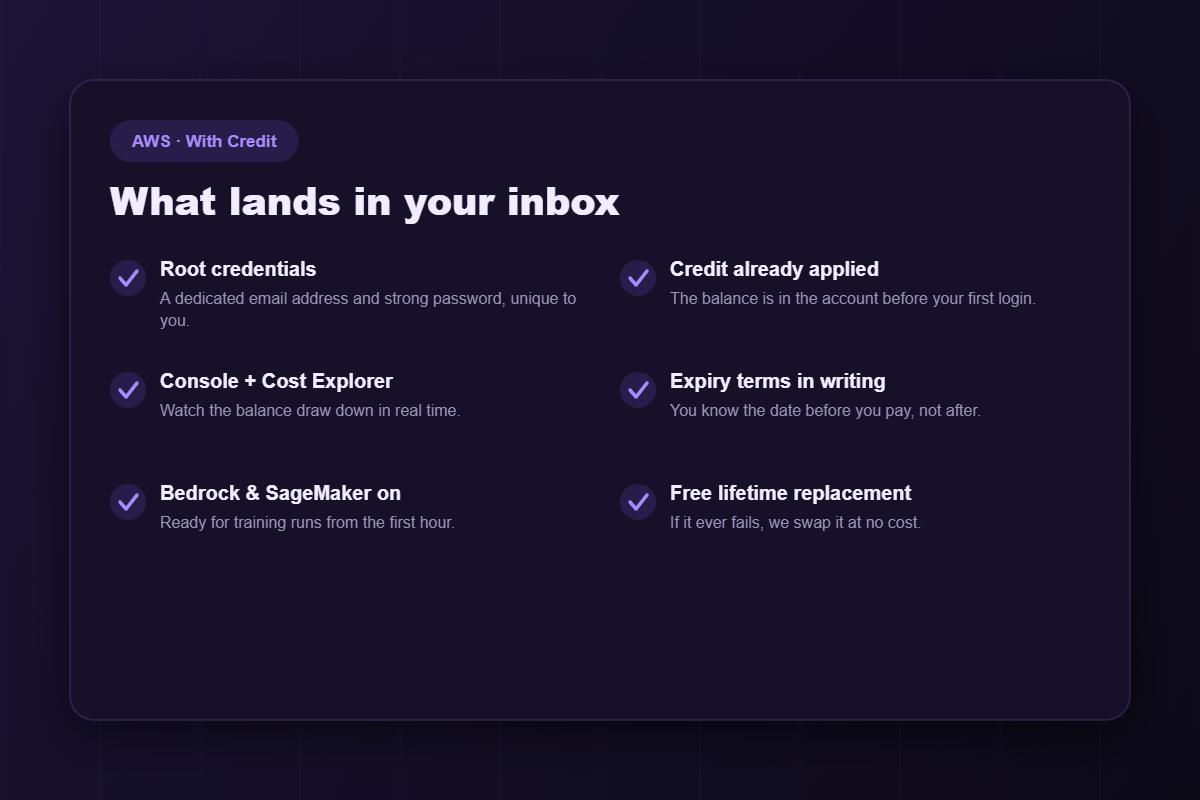
- Root user credentials — a dedicated email address and strong password, yours alone.
- The credit, already applied. Nothing to redeem, no code to enter. It is visible in the billing console the moment you sign in.
- Full Console and Cost Explorer access, so you watch the balance draw down in real time rather than discovering the burn rate at month end.
- Expiry terms in writing, before you pay — see below, because this is the part the rest of this market prefers not to discuss.
- Amazon Bedrock and SageMaker enabled, since most credit buyers are here for AI workloads and a separate approval queue would defeat the point.
- The AWS region you specify, configured before handover.
- A free lifetime replacement, written into the order.
The expiry question — asked and answered
AWS credit carries a time horizon. That is not a scandal, it is simply how it works, and every seller in this niche knows it. Very few will tell you before you pay.
Here is our position, plainly: ask us for the exact expiry terms on the tier you are considering, and we will put them in writing before you spend anything. Then be honest with yourself about your burn rate.
A $25,000 balance you will not consume before it lapses is not a discount. It is a donation. If your realistic monthly AWS spend is $800, you should be buying a $5,000 tier, not a $25,000 one — and we will tell you that even though it costs us $1,500 of revenue, because a customer who wasted a balance once does not come back.
Choosing the right tier
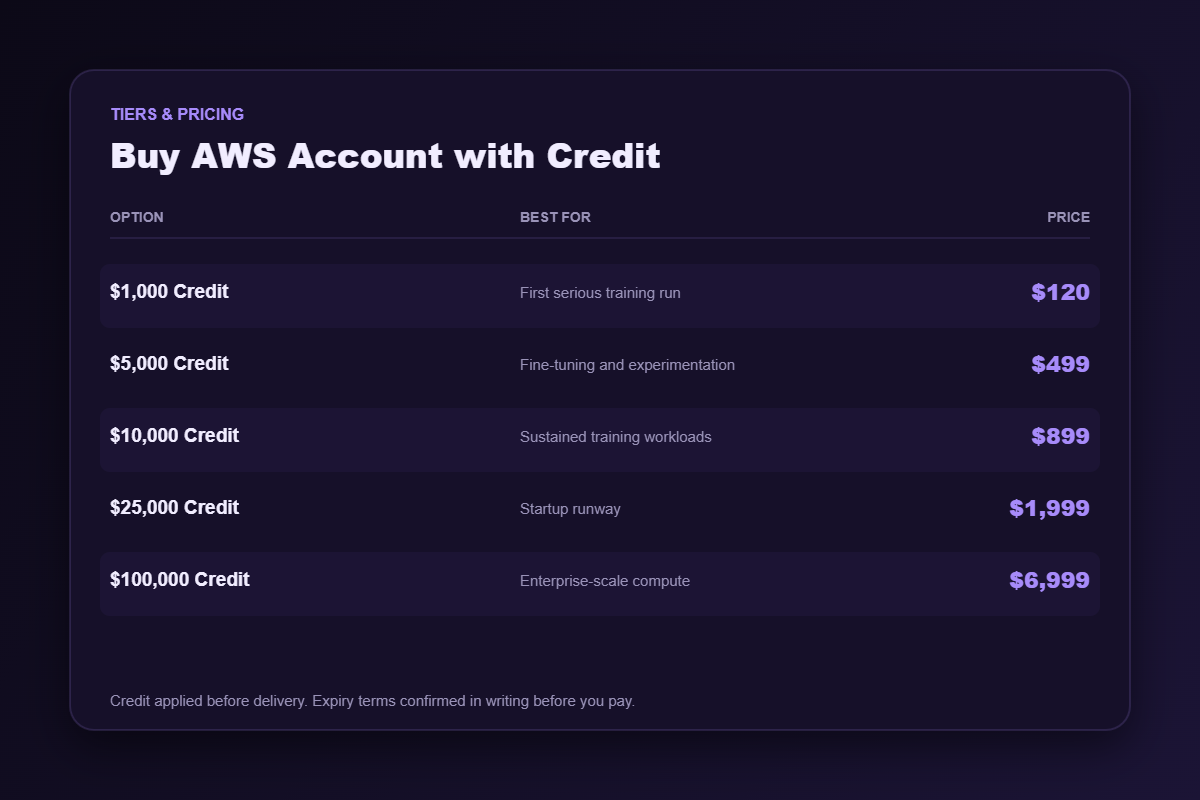
$1,000 Credit — $120
A first serious training run, a proof of concept that needs real GPUs behind it, or a few months of a modest production stack. Most first-time credit buyers belong here, and most of them overshoot it.
$5,000 Credit — $499
Where the majority of applied-AI teams land. Enough for meaningful fine-tuning and sustained experimentation without watching the meter every hour.
$10,000 Credit — $899
Sustained training, or a small team running continuous heavy jobs across several months.
$25,000 Credit — $1,999
Startup runway. This is the tier that turns “we can afford three months of experiments” into “we can afford a year”, which is often the difference between the company existing and not.
$100,000 Credit — $6,999
An operating decision rather than a purchase. Large distributed training, long-running analytics, or the infrastructure behind an entire product line. Do not buy this on a hunch — talk to us, and expect questions you may not enjoy.
How to size it in one calculation
Forget the rules of thumb. Take your realistic monthly AWS spend over the next six months — not the spend you hope for once the product takes off, the spend you could defend to a CFO today. Multiply by the months of runway you want. Buy the tier just above that number.
That is the whole method, and it outperforms every heuristic we have seen. If it lands you below $1,000, you do not need credit at all: buy the 32 vCPU account at $30 and pay AWS the small monthly bill as it arrives.
Making the balance last
Most credit is not spent — it is wasted. A few habits decide whether a balance lasts three months or twelve:
- Tag everything from the first launch, so you can answer “where did it go” in under a minute.
- Use spot instances for anything interruptible. A training job that checkpoints properly does not need on-demand pricing, and at this scale the difference is enormous.
- Profile one run before scaling out. A job that does not parallelise well will consume the balance just as fast on bigger hardware without finishing sooner.
- Set alarms at 50% and 80% of balance. The complaint is never “the credit ran out” — it is “the credit ran out unexpectedly“.
- Shut things down. A forgotten cluster over a long weekend is the most expensive habit in cloud computing, and credit makes it painless right up until it does not.
There is a fuller guide on making AWS credit last, and it is written to steer people toward smaller purchases.
Delivery
Automated end to end. Our median from cleared payment to a working console with the balance showing is about eight minutes — a measured figure, not a marketing one — and it holds overnight and at weekends because there is no human in the chain to be asleep.
If anything fails afterwards, one message to support and we replace the account free of charge. Written into every order, not offered as a courtesy if we happen to like you.
Frequently asked questions
Is the credit real, and can I see it?
Yes. It is applied before delivery and visible in the AWS billing console the moment you sign in. If it is not there, that is a replacement case and we act immediately rather than debating it with you.
Can I use it for GPU instances?
Yes, and for most buyers here that is the point. GPU instance availability varies by region, so tell us what you intend to run and we will set the account up in a region where it actually exists.
What happens when the credit runs out?
Billing reverts to the payment method on the account, exactly as on any AWS account. Nothing breaks and nothing shuts off unexpectedly — but set those balance alarms so the transition is not a surprise.
Does this raise my vCPU quota?
No. That is the whole point of the distinction above. If your instances will not launch, you need a compute tier, not credit. Here is how quotas actually work.
What if I am not sure?
Tell us your monthly burn. We will name the tier — including the version where the answer is a $30 compute account and no credit at all.
Related
If your constraint is the ceiling rather than the bill: 32 vCPU, 64 vCPU, 128 vCPU. Credit is also available on Azure and Google Cloud. Browse the full AWS range and cloud accounts, or read how to choose a provider when cost decides. Who we are.
Disclaimer: AWSCreditShop.com is an independent reseller and is not affiliated with, authorised by, or endorsed by Amazon Web Services, Inc.. All trademarks belong to their respective owners. Buying credit lowers what you pay for compute; it does not transfer responsibility. You remain accountable for operating within the platform’s terms of service and for whatever you deploy.
Reviews
There are no reviews yet.