
Description
Nobody wakes up needing sixty-four virtual CPUs. What happens is that things start queuing.
A deploy stalls because the new instances cannot start while the old ones are still draining. The nightly batch job now collides with the morning traffic ramp. A second client environment goes up and CI is suddenly waiting behind it. Individually every workload is small. Collectively they are fighting over a ceiling that was never sized for all of them existing at once.
That is the moment for a 64 vCPU AWS account — not because anything got bigger, but because you now have several things and they will not take turns politely.
Concurrency, and why it ambushes people
Service quotas are widely misread as a spending allowance. They are not. They cap what runs simultaneously — and simultaneity is precisely what a maturing project accumulates without anyone deciding to.
You will not notice the ceiling while building. You will notice it the first time production, staging, a CI run and a background job all want capacity in the same ten minutes, and something fails mid-release with an audience watching. The mechanics are here.
What is included
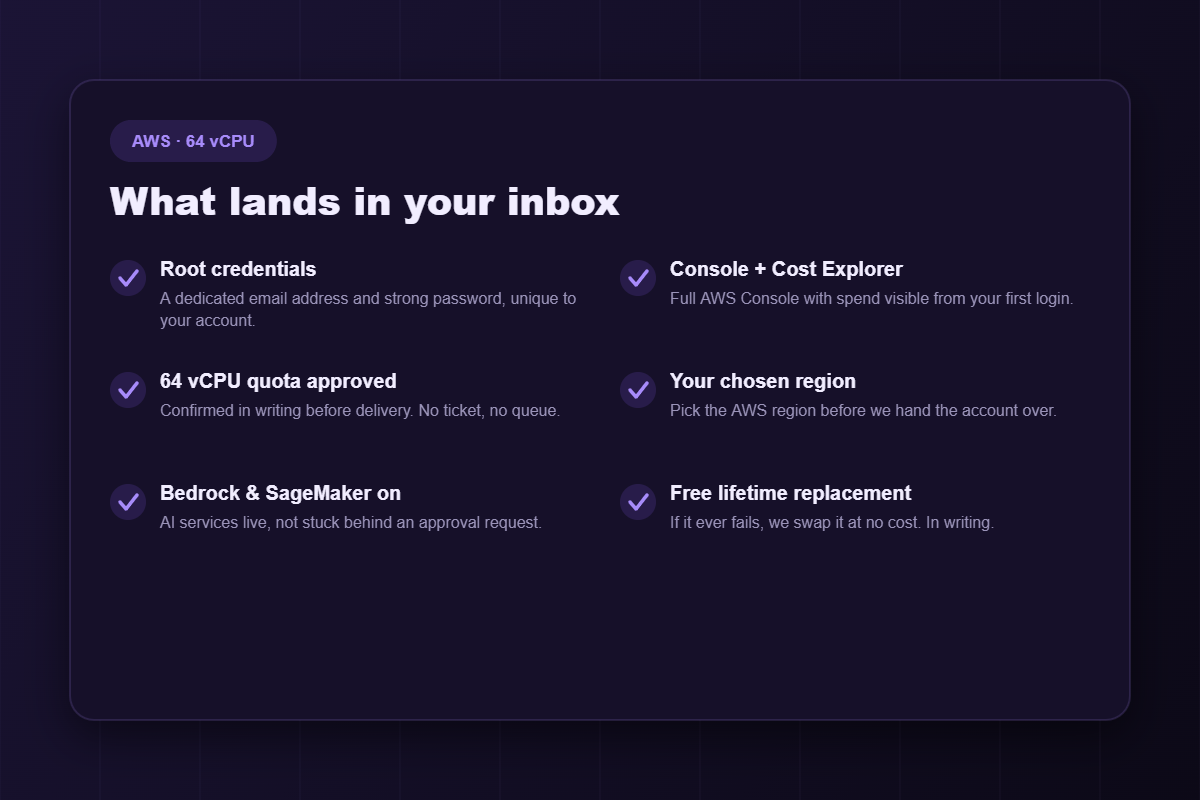
- Root credentials — dedicated email and strong password.
- Full Console and Cost Explorer access. A forgotten instance becomes a same-day discovery rather than a month-end shock.
- A 64 vCPU quota, approved in writing before delivery.
- Your chosen AWS region — quotas are regional, and getting this wrong is costly.
- Bedrock and SageMaker enabled.
- Free lifetime replacement, in writing.
Who actually needs this tier
Agencies and studios
Every client expects an isolated environment; none will accept “your deploy is blocked because another client is building”. This is where genuine separation becomes affordable.
Teams with a real CI/CD pipeline
CI is violently spiky — idle, then a large slug of compute for ten minutes, then idle. Sharing a 32 vCPU ceiling with production works right up until the day it very publicly does not.
Container orchestration
Kubernetes and ECS scale out horizontally. That is their whole purpose. A low ceiling turns your autoscaler into an ornament.
Applied ML teams
Fine-tuning, evaluation and inference — the work most AI teams actually do daily. Frontier training runs belong on 128 vCPU, and if the bill is the problem rather than the ceiling, on credit.
Tiers
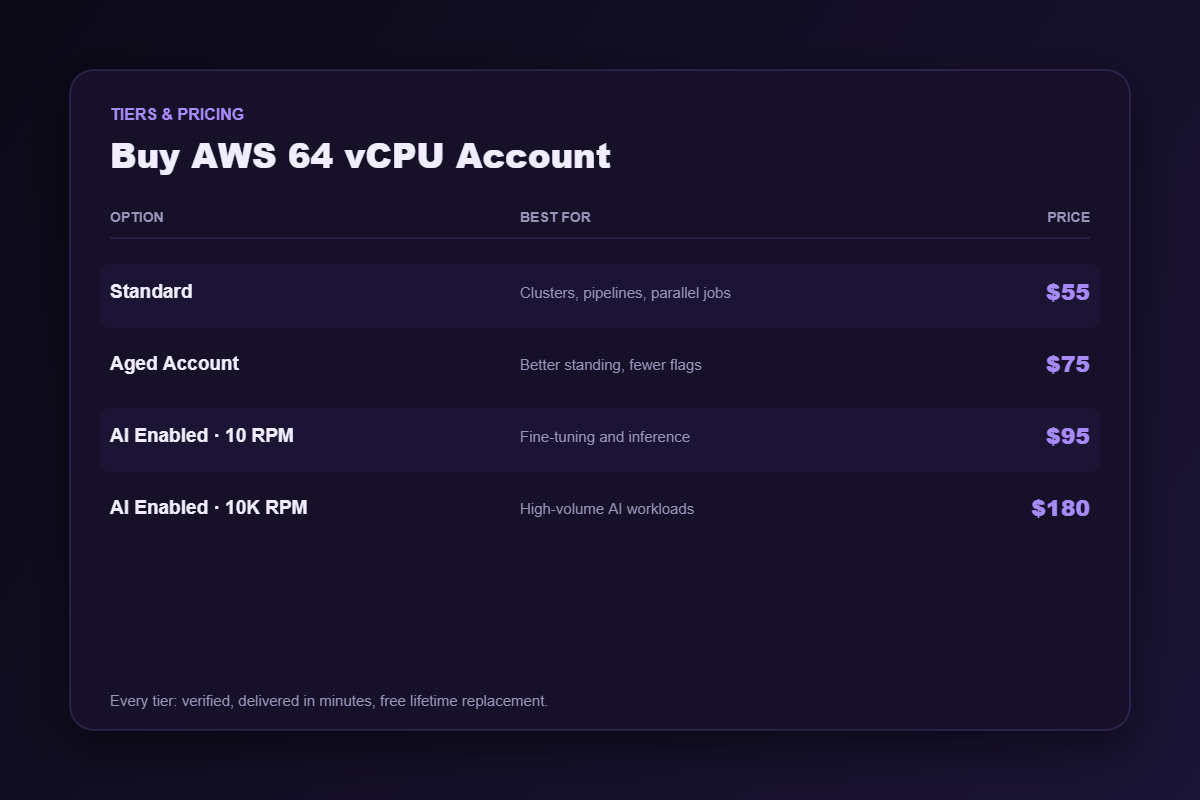
Standard — $55
Freshly verified, quota approved, region of your choosing.
Aged Account — $75
Real history behind it. Matters more as usage grows and starts looking unfamiliar to a risk system with no baseline for you.
AI Enabled · 10 RPM — $95
Bedrock and SageMaker at modest throughput — fine-tuning, evaluation, inference not yet serving production traffic.
AI Enabled · 10K RPM — $180
High AI request throughput for teams shipping to real users.
Sizing it honestly
- List everything concurrent — production, staging, CI, workers, cron, batch.
- Sum the peaks, never the averages. Averages hide the exact moment that breaks you.
- Add roughly a third of headroom for spikes and deploy overlap.
- Round up to a real tier.
If it lands under 32, buy the 32 vCPU account and keep the difference — we would genuinely prefer that. Well beyond 64? Go to 128.
Delivery and guarantees
Automated: median around eight minutes from cleared payment to a working console, any hour. If it fails afterwards, message support and we replace it free.
Account hygiene in the first fifteen minutes
- Change the root password and store the new one in a password manager.
- Enable MFA on the root user before you touch anything else.
- Create an IAM user for daily work. Operating as root every day ends badly, eventually.
- Set a billing alarm — not a budget you glance at, an alarm that emails you.
- Confirm the region matches what you ordered before deploying into it.
A seller who hands over credentials and says nothing about this is not looking after you.
Frequently asked questions
Is 64 vCPU the same as 64 servers?
No — it is the total virtual CPU you may run at once. One large instance, eight medium, thirty small. The sum is what is governed.
Does the quota apply everywhere?
No. Quotas are per region. Confirm yours before ordering.
Can I upgrade later?
You can buy a larger account any time. We will not pretend that raising an existing account’s quota is instant — that re-enters the queue you bought this account to avoid.
Should I buy credit too?
Only if the bill hurts as much as the ceiling. Here is the difference.
Running several environments without contention
The practical value of this tier is not one big machine — it is that things stop waiting for each other. A few habits make that separation real rather than theoretical.
- Cap your CI runners explicitly. An unbounded pipeline will happily consume the entire ceiling and starve production, and it will do it at the worst possible moment.
- Reserve headroom for deploys. Rolling releases briefly double part of your footprint. If your steady state sits at the ceiling, your deploy is the thing that breaks.
- Tag by environment. When you hit the limit you will want to know instantly which environment ate the capacity.
- Watch spot interruptions. If you use spot for workers, an interruption storm can cause a scramble for on-demand capacity that pushes you into the ceiling unexpectedly.
When 64 is the wrong answer
If everything you run is small and the total sits comfortably under 32, you are buying headroom you will never touch, and we would rather you spent the difference on something useful. And if your instances launch perfectly well but the invoice is what keeps you awake, no compute tier will fix that — that is a credit problem. Send us the numbers and we will tell you which of the three you actually are.
Related
32 vCPU · 128 vCPU · AWS with credit. Browse AWS accounts and cloud accounts, or read how to choose a provider when cost decides.
Disclaimer: AWSCreditShop.com is an independent reseller and is not affiliated with, authorised by, or endorsed by Amazon Web Services, Inc.. All trademarks belong to their respective owners. Buying credit lowers what you pay for compute; it does not transfer responsibility. You remain accountable for operating within the platform’s terms of service and for whatever you deploy.
Reviews
There are no reviews yet.